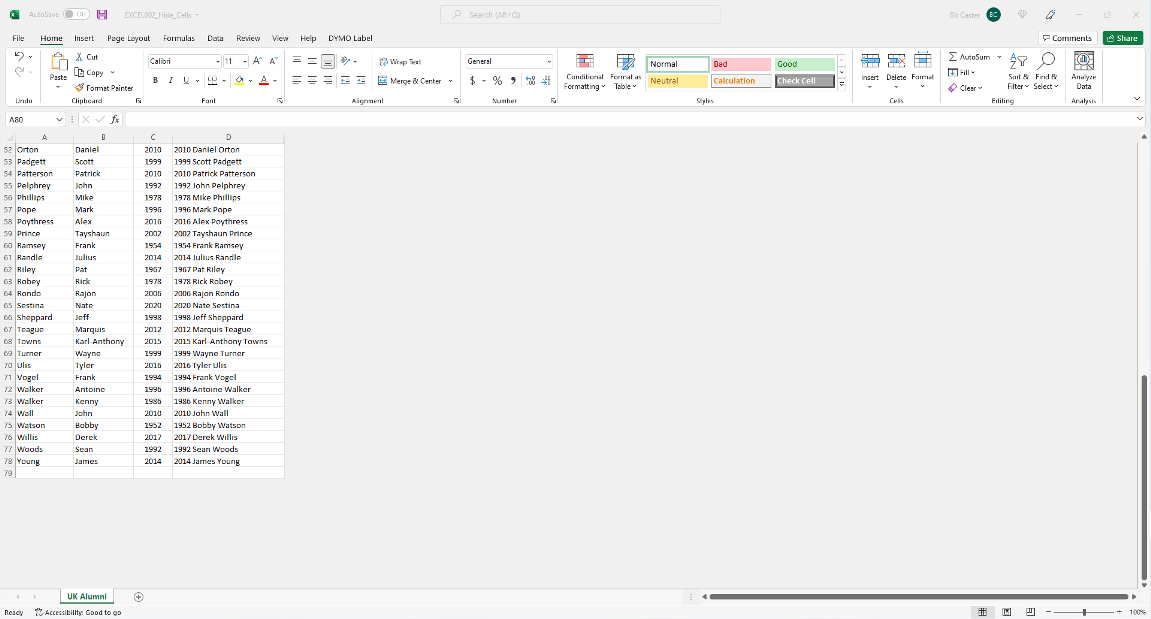
 #002-EXCEL: Hide Unused Cells Format cell visibilty in an Excel Spreadsheet . Description: This task will demonstrate how you can hide all of the unused rows and columns in an Excel spreadsheet. (The Nuts&Bolts) Step Instructions: Step One - Download the (Hide Cells) sample template for this task: (Here)
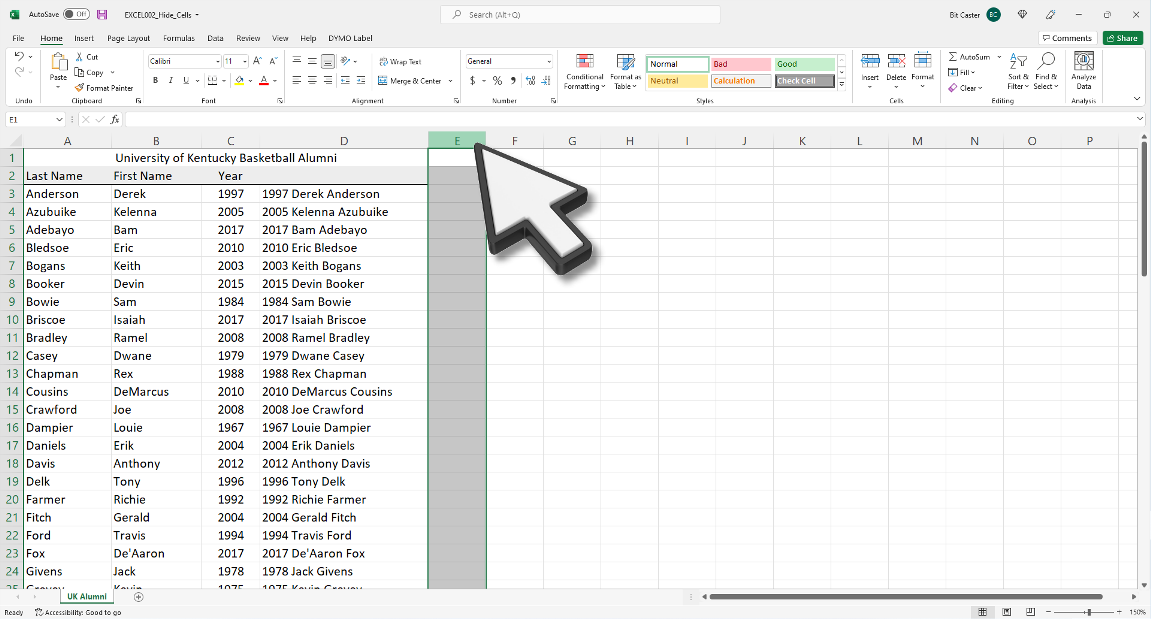
Step Two - select the column header to the right of the last column you have data in
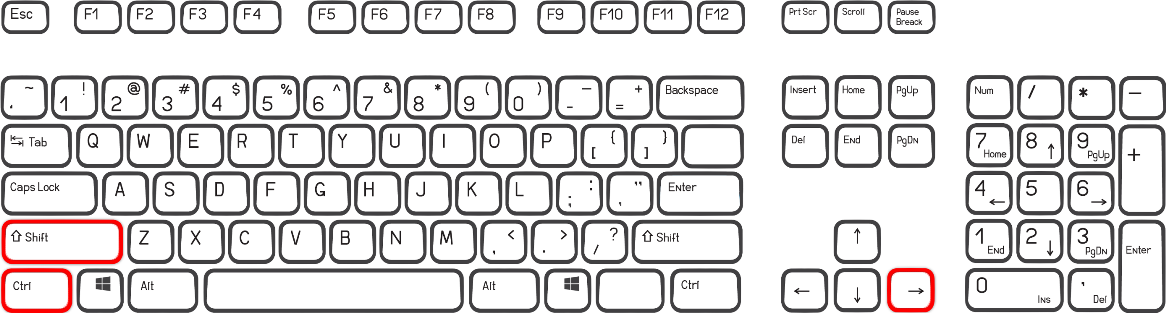
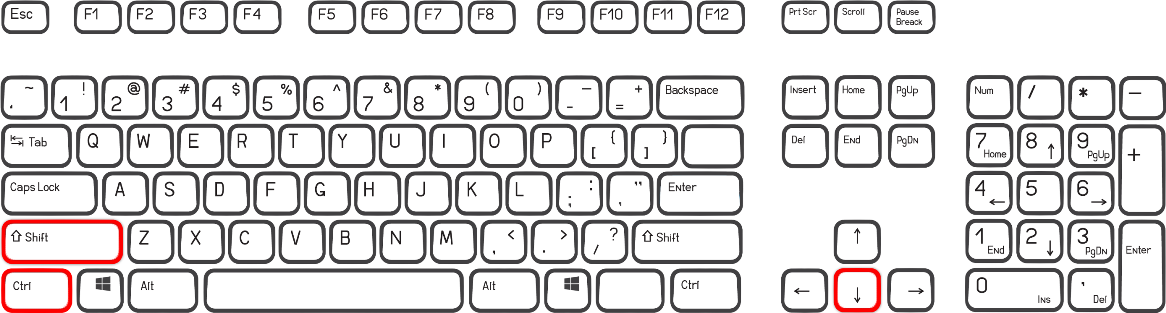
Step Three - press Ctrl + Shift + Right Arrow on your keyboard
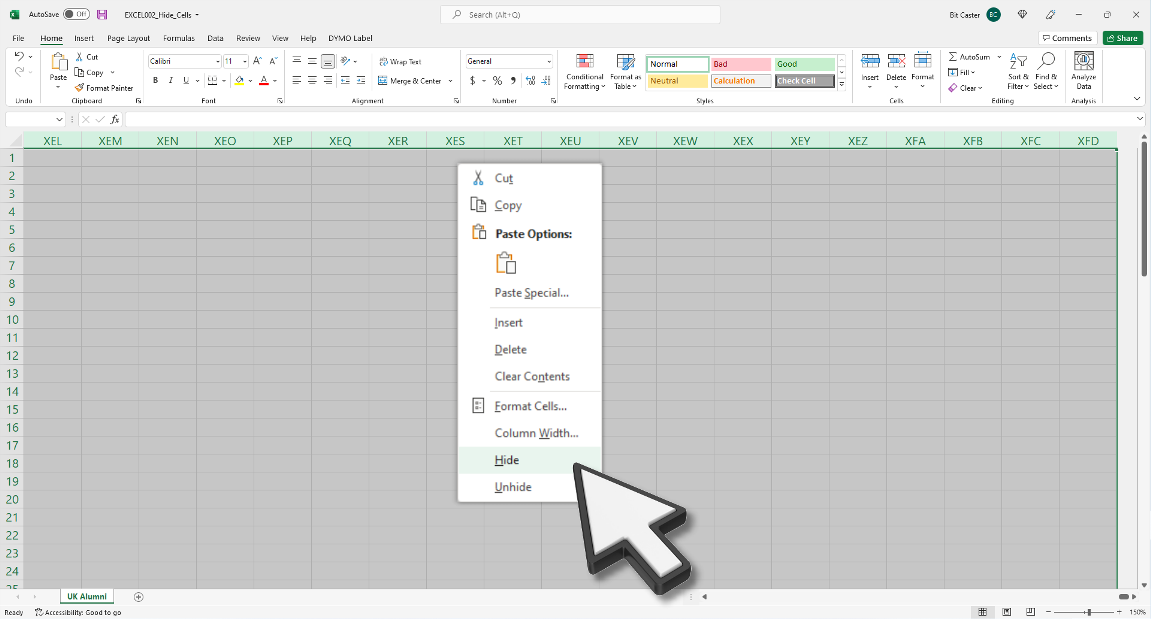
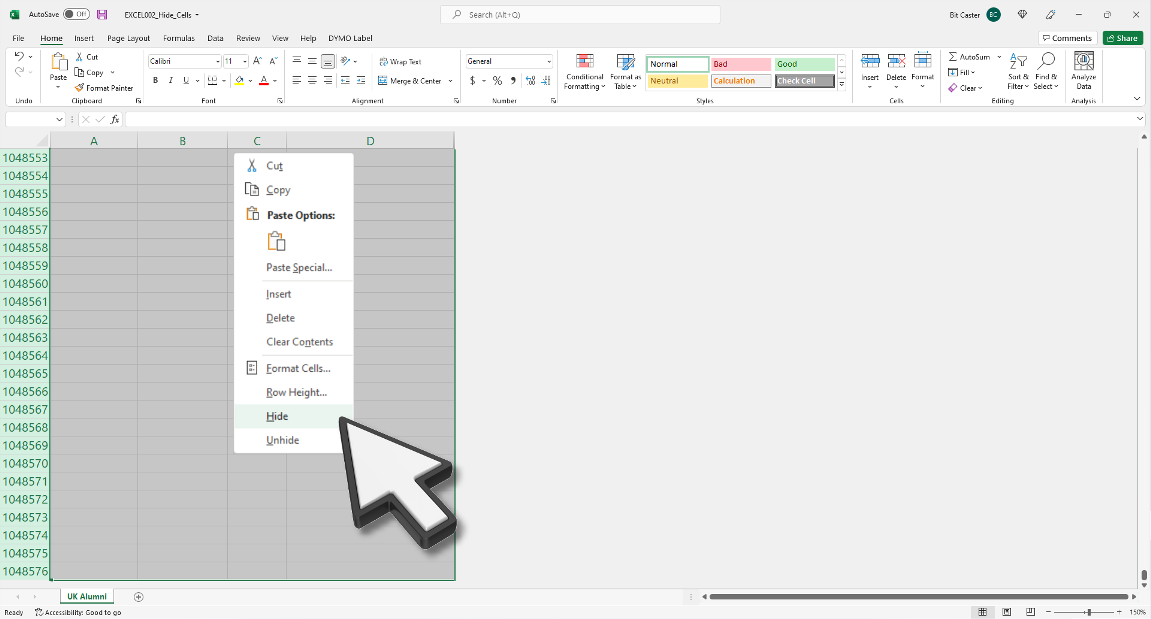
Step Four - right click your mouse in the shaded area and select Hide
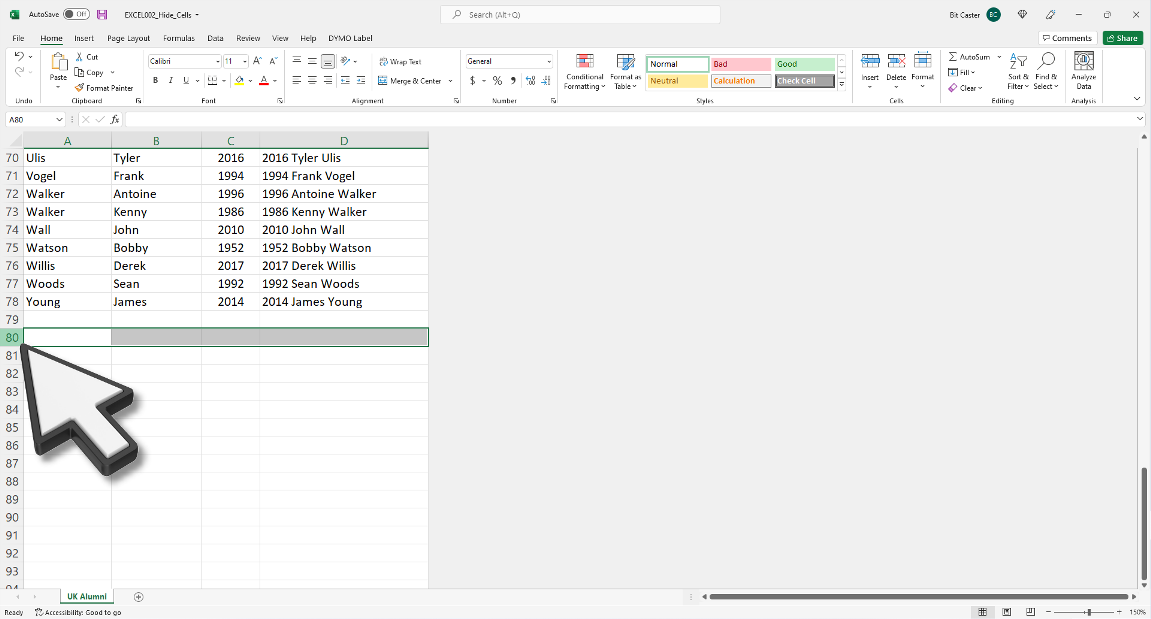
Step Five - select the row header right below of the last row you have data in
Step Six - press Ctrl + Shift + Down Arrow on your keyboard
Step Seven - right click your mouse in the shaded area and select Hide
Finished
| . |